Loyalty-at-POS
The Loyalty-at-PoS (point-of-sale) scenario allows Customers earn and redeem rewards in-store at the point-of-sale using their Pepper Powered App account.
Earning and redeeming awards
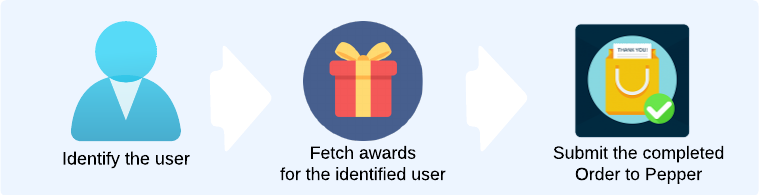
The are three steps for granting or redeeming loyalty to a customer at POS:
-
Identify the user through one of three methods:
- Scanning a bar code containing the Pepper userId
- Searching for a user by name, email or phone number
- Selecting the user from a list of checked in users
-
Fetch available awards from Pepper by requesting a basket calculation
-
Submit the finalised basket to the Pepper order API, so that Pepper can award and redeem the relevant Perks to a customer
Step 1: Identify the user
The userId for the relevant loyalty user can be found in one of three ways. A connecting POS must make at least one of these three methods available to the merchant.
Barcode scan
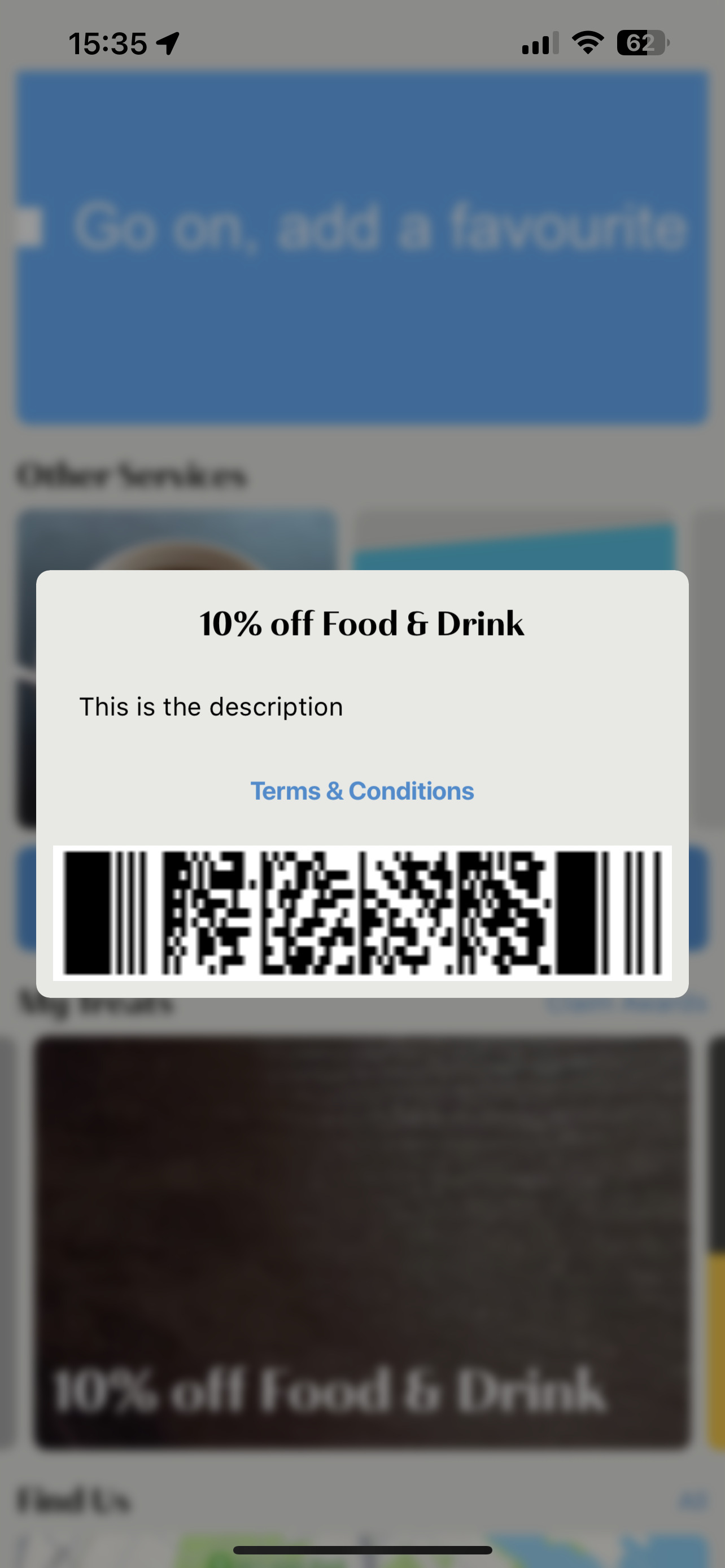
Customers who have signed up in a Pepper App will be able to display a Bar-Code in that app, which can be presented at the POS for scanning.
The bar-code content will be p377{userId}, where userId is the Pepper user identifier that can be used in the Pepper API to identify the attached loyalty customer.
User Search
It's possible that Users of the Pepper App may lose access to the app, whether because their device is out of battery, or they just don't have it with them. In this case, it's useful for a PoS user to be able to search for an App User from within the PoS. Best practice is to allow a secondary option to search for a user using their primary identifier. (Note: depending on a merchant's configuration, their primary identifier may be set to either phone number, or to email). Customers can be searched for using the users api.
GET /users?credentialId=<email or mobile number>
Please see GET /users for a detailed description of how to search for Users.
Fetch Checked-in users
The Pepper mobile apps may be configured to allow a user to 'Check-in' at a location. POS can use this to identify a checked in user's userId, by fetching a list of checked in users for the location and allowing the POS user to select the correct checked in user from a list.
- App user 'check's in' to a location.
- POS fetches all checked in users
- The list of checked in users is displayed on POS (It is good practice to display the username and user's profile photo, if present. Additional information such as the segments that a user is in may also be retrieved and displayed).
- POS user selects a checked in user from the list.
Step 2: Fetch available awards for a user
Pepper calculates discounts available to a user based on the Awards that the user has earned. When requesting available awards for a user to redeem, POS must submit a basket, which allows Pepper to calculate redeemable awards based on:
- userId identified from step 1
- Item, Product or Category Content of the basket
- Value of the basket
- Awards which are available to the user
Calculate reward test Each basket request will return:
availableAwards: An array of available awards, defining which awards the user has that are applicable to the basket and redeemable.
adjustments: A list of awards already applied to the basket, with each award that has been applied showing as an adjustment with an awardId. The adjustments may return with discounts already applied to the basket, as some awards may be configured to automatically apply without user interaction.
Step 3: Submitting an order
Pepper use the order detail of a submitted order to:
- Award perks, often calculated based on the contents of the order
- Redeem awards, based on the adjustments in the order which have an associated awardId
Order will be submitted as a POST to /orders as described here: